
- WordPress Maintenance
Are You Afraid to Update Your WordPress Website?

We’ve noticed a pattern lately.
Sometimes we’ll hear from a client because something on their website isn’t working quite right. Other times, we’ll be working on the site making an unrelated update and notice a long list of pending maintenance.
WordPress needs updating. Plugins need updating. Maybe the PHP version is outdated. Sometimes regular maintenance simply hasn’t been done for quite a while.
And when we ask about it, we tend to hear one of two things:
“I just haven’t had time to stay on top of it.”
Or:
“I was afraid I’d break something.”
Both are completely understandable.
Should you maintain your own WordPress website?
You absolutely can. But that doesn’t necessarily mean you want to.
When we build a website at Steady, our goal isn’t to make our clients dependent on us.
As part of a new website build, we provide walkthrough videos demonstrating how to handle the tasks you’re likely to encounter. That might include updating staff profiles, changing your navigation, editing content, adding a new page, or performing regular WordPress maintenance.
We want you to understand how your website works and feel comfortable managing it yourself if that’s what you prefer. Many of our clients do exactly that.
But we’ve also learned that being able to maintain your own website and actually wanting to maintain it are two different things.
Why do WordPress updates get ignored?
It’s not because you don’t care about your website. You’re simply busy running your business. Maybe you put a reminder in your calendar with the best of intentions, but something happens that day, you get distracted and, before you know it, you’ve forgotten all about it.
It makes sense. If everything appears to be working, logging into WordPress to check for updates isn’t exactly at the top of the priority list. A few weeks go by. Then a few months. Out of sight, out of mind.
There’s another understandable reason you might put updates off: you know there’s a chance something could go wrong.
You log into WordPress and see seven plugins waiting for updates. There’s a new version of WordPress available. One of the plugins displays a compatibility warning. Eek!
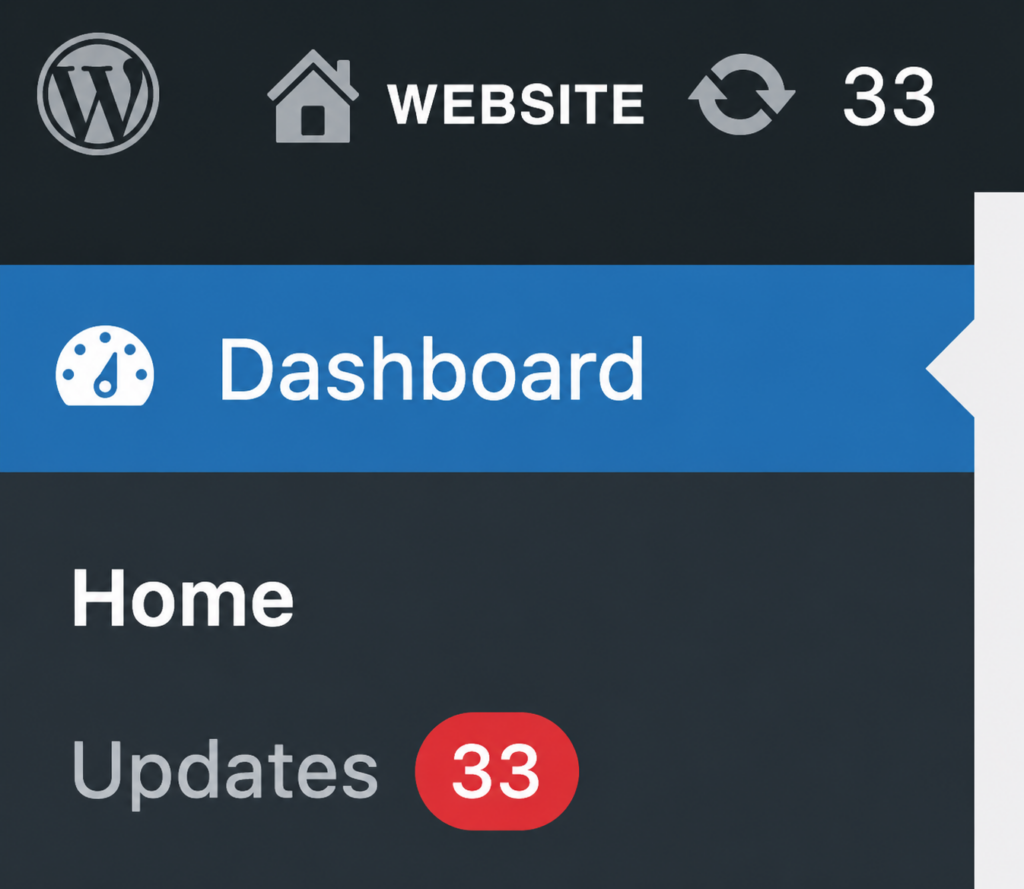
Everything is working right now. Do you really want to click that button? We get it.
Unfortunately, avoiding updates indefinitely isn’t the safer choice. Outdated software can create security vulnerabilities, compatibility problems and performance issues. And the longer everything is left untouched, the more complicated the eventual update can become.
WordPress Website maintenance is more than clicking “Update All”
Dealing with a maintenance backlog can sometimes get complex. It’s one reason we don’t recommend simply logging into WordPress after six or twelve months and clicking every available update at once. A little caution is a good thing.
When we perform regular maintenance on a WordPress website, we start with a full backup. Then we review the available updates, update WordPress and plugins as needed, check for any security concerns, and make sure everything still appears to be working properly.
We also keep an eye out for things that might require attention outside WordPress itself, such as an outdated PHP version or a plugin that’s no longer being properly supported.
We’re not just trying to clear out all the little red update notifications, although that is quite satisfying when it’s done. The goal is to periodically look under the hood and make sure everything seems healthy and is operating normally.
Does regular maintenance guarantee your website won’t break?
No.
Websites are software, and software occasionally has problems. Plugins can conflict. Hosting environments change. Third-party services change their APIs. Security vulnerabilities are discovered. Something that worked perfectly yesterday can stop working tomorrow.
Regular maintenance doesn’t eliminate that possibility, but it does significantly reduce the risk.
It decreases the likelihood of problems, prevents updates from piling up, addresses known security issues and gives us an opportunity to spot potential concerns before they become bigger ones.
Think of it as preventative maintenance rather than an insurance policy.
DIY or let someone else handle it?
For years, our approach has been pretty simple: give clients the tools they need to manage their own websites and be available if they need us. We still believe in that. It’s why we deliver training and walkthrough videos for every new website build.
If you’re comfortable maintaining your own WordPress website, great. Keep doing it. We’re always here if you run into trouble or need a hand.
But over time we’ve come to learn that some of our clients would simply rather not have WordPress website maintenance on their to-do list. Business owners already have a long list of tasks to manage, website maintenance is easy to de-prioritize.
So we’ve started offering regular scheduled WordPress maintenance as another option.
Approximately every 8 to 12 weeks, we log in, run a full backup, review and apply updates as needed, perform a general security check and keep an eye out for anything that might require attention.
It’s entirely optional, with no contracts or obligation. If you decide you’d rather take the maintenance back on yourself, that’s fine too.
You can maintain your website yourself. You can delegate it to someone internally and have them take responsibility for it. Or you can ask us to take care of it for you.
The important thing is that somebody is looking after it.
Ignoring those little red update notifications forever probably isn’t the best maintenance strategy.
Ready to go Steady?
Need a hand keeping your WordPress website healthy and up to date? Get in touch to talk about ongoing website maintenance.